Bluebeam Revu® Profiles

Simplify your security design and estimating processes

Streamlined security system planning

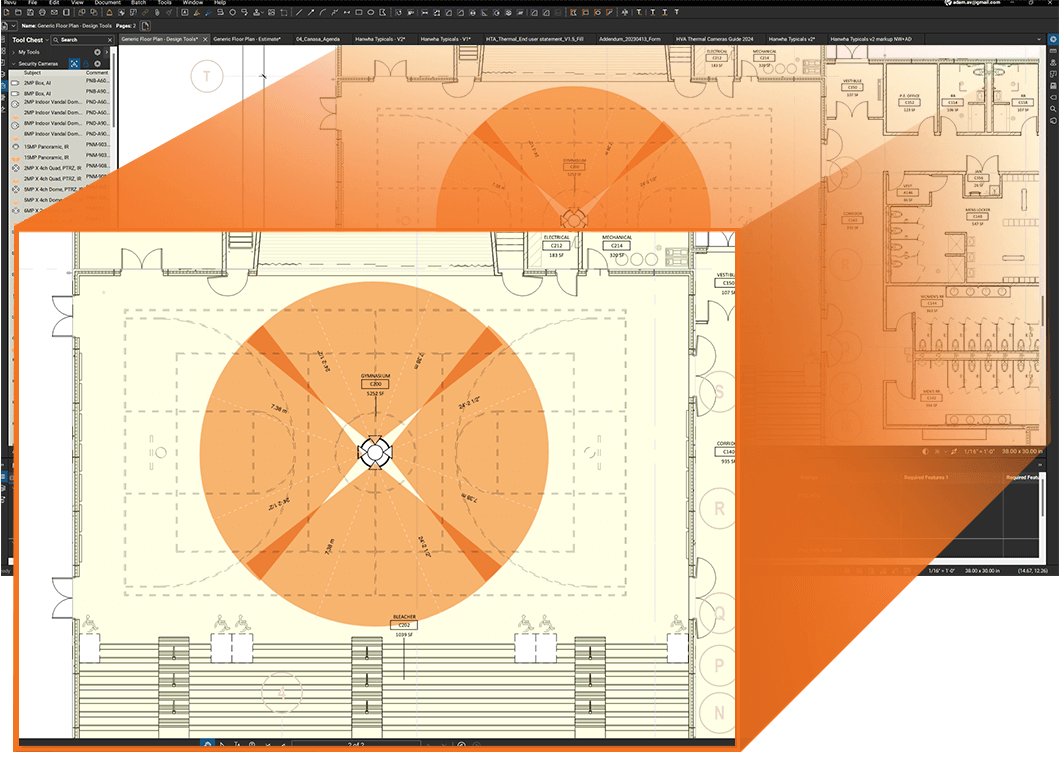
Easily drag and drop Hanwha Vision camera symbols and user-adjustable camera Field of View (FoV) coverage areas onto your designs, or during customer meetings, and then efficiently communicate these designs with your BIM Team. Hanwha Tool Chests can be loaded as profiles or imported into your personal user profiles.

Design

  • Drop camera device symbols
  • Adjustable FoV’s for each camera
  • Customizable metadata and specifications in the profile
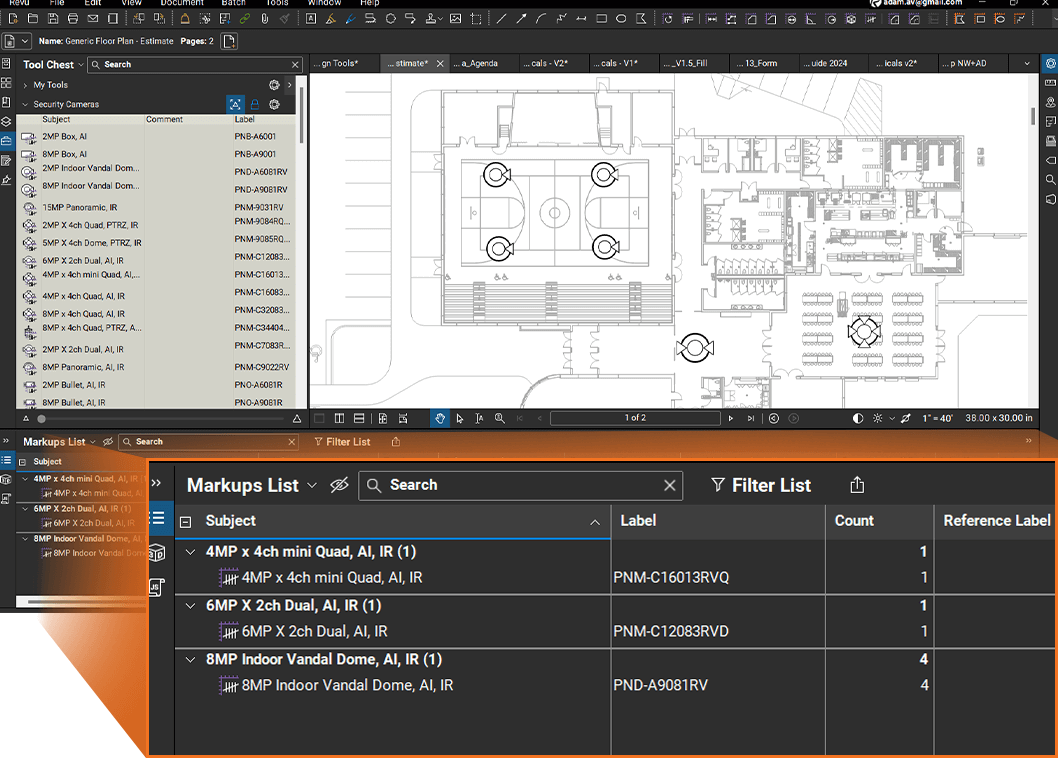
  • Automated legends and counts for each sheet or multi-sheet sets
  • Extract mark-up schedules to camera schedule

Estimating

  • Drop Camera Count Device Symbols for estimating
  • FoV Toolset for coverage design
  • Customized metadata with costing columns for estimating
  • Extract mark-up schedules to .CSV

Download

Hanwha Bluebeam Toolset Profiles v4

Hanwha Bluebeam Toolset BTX Files (importing to a user profile)

Training Video – How to Install Bluebeam Toolset

Training Video – How to Use Bluebeam Toolset